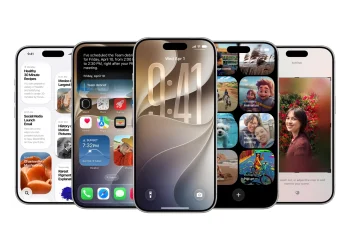
iOS 26 delivers the usual mix of refinements and new features, but this year, Apple’s focus is on improving core apps and streamlining everyday iPhone usage. While there aren’t any groundbreaking, flashy additions, a handful of practical improvements make the iPhone experience smoother and more intuitive. From smarter editing tools to enhanced document management, these upgrades prioritize functionality over novelty, ensuring that iPhone users can get the most out of their devices on a daily basis.
In this update, four standout features are designed to improve how users interact with their iPhones, making everyday tasks faster and more efficient. Let’s explore these key improvements in more detail.
1. Adaptive Toolbar Enhances Notes App
One of the most useful additions to iOS 26 is the new Adaptive Toolbar in Apple Notes. This context-aware toolbar adjusts based on what you’re doing within a note, making commonly used tools more accessible. When editing text, options like bold, italics, underline, and highlight appear automatically, saving you from scrolling through menus. Selecting multiple lines brings up list controls and indentation options.
The full toolbar is still available with a swipe, but by surfacing only the tools you need at the moment, this feature reduces clutter and speeds up workflow. Whether you’re jotting down quick notes or organizing ideas, the Adaptive Toolbar ensures the app is both powerful and easy to use.
2. Preview Brings Mac-Style Document Handling to iPhone
iOS 26 introduces Preview, a Mac-style document viewer for iPhone, which significantly improves the handling of PDFs and other files. While the Files app already had some document management tools, Preview separates the viewing and navigation of documents, making it easier to keep a PDF open while browsing folders in the Files app.
This feature allows you to multitask like on a Mac, improving productivity when working with multiple documents. Whether you’re reading, annotating, or comparing PDFs, Preview offers a seamless experience that’s both familiar and efficient for iPhone users.
3. Sleep Score Makes Health App Data Simpler to Read
The Apple Health app gets a major usability upgrade with the addition of the Sleep Score, which simplifies the way users track their sleep quality. Instead of sifting through complex charts, the Sleep Score combines sleep duration, consistency, and interruptions into a single number for each night.
The easy-to-understand score gives users a quick overview of their sleep patterns, helping them understand why their sleep score might be higher or lower on any given day. This new feature aligns with the simple, intuitive design of the Activity rings on Apple Watch, making sleep data more accessible and less overwhelming.
4. AI Search Enhances Apple Maps for Smarter Navigation
Apple Maps takes a leap forward in iOS 26 with the introduction of AI-powered natural language search. Users can now phrase search queries more naturally, combining multiple conditions for more accurate and intuitive results. This makes it easier to find locations, navigate around cities, and discover new places without needing to input precise details.
This upgrade builds on previous AI advancements in Apple’s Photos app, applying them to one of the most used apps on the iPhone. While the visual changes are subtle, the enhanced search capabilities make everyday navigation more reliable and user-friendly.
Small Features with Big Impact
Unlike past iOS updates that focused on one standout feature, iOS 26 enhances everyday iPhone functionality with a series of smaller but impactful improvements. Whether it’s the streamlined editing tools in Notes, smarter document handling with Preview, clearer health data in the Sleep Score, or more reliable search in Maps, iOS 26 makes day-to-day tasks more efficient. For users looking for a more practical and polished iPhone experience, this update delivers exactly that.