Google’s new AI-first laptop platform blends Android, ChromeOS and Gemini into a premium computing experience.
Googlebook Brings Gemini AI to Premium Laptops
Googlebook is Google’s boldest laptop move since the Chromebook. The new platform is built around Gemini AI, Android technologies and premium hardware from major PC makers.
Google says the new laptop category brings together Android, Google Play apps, ChromeOS strengths and Gemini Intelligence. The company describes it as a shift from a traditional operating system toward an “intelligence system.”
The first Googlebook devices are expected later in 2026. Acer, ASUS, Dell, HP and Lenovo are listed among the hardware partners on Google’s official Googlebook site.
What Googlebook Means for Laptop Users
Googlebook is not just another Chromebook. It is a separate laptop category aimed at users who want a more premium, AI-first computer experience.
Chromebooks were built for a web-first world. Googlebook is being built for an AI-first one. That means Gemini is not simply an app on the laptop. It sits at the center of the experience.
This could make Googlebook more attractive to professionals, students, creators and Android phone users who want tighter integration between their phone and computer.
Googlebook Will Not Immediately Replace Chromebooks
Googlebook does not mean Chromebooks are disappearing overnight. Google has continued to reassure users that ChromeOS devices will remain supported.
That matters because Chromebooks are deeply embedded in schools, institutions and budget laptop markets. Google has also maintained its long-term Chromebook update commitment, with supported models receiving up to 10 years of automatic updates.
The bigger message is more strategic. Chromebooks will continue serving the affordable, web-focused market. Googlebook appears designed for the premium laptop market, where Apple’s MacBook and Microsoft’s AI PCs already compete.
Android Apps Become Central on Googlebook
One of the biggest changes is how apps work.
On many Chromebooks, Android apps often felt like an addition to a web-first system. On Googlebook, Android apps are expected to become primary citizens.
Google says Googlebook brings the best of Android, including powerful apps from Google Play, into a laptop experience. WIRED also reported that the operating system is Android-centered, while Google has not yet announced the official OS name. Internally, it was reportedly codenamed Aluminium OS.
This is important for developers. Google is clearly pushing for desktop-ready Android apps, not stretched phone apps that feel awkward on a large screen.
Magic Pointer Is the Main Googlebook AI Feature
The standout Googlebook feature is Magic Pointer.
Google says users will be able to select anything on screen and ask, compare or create with Gemini instantly. Its official site presents Magic Pointer as one of the core features of the platform.
In practice, this turns the cursor into an AI tool. A user could point at a date and get help creating an event. They could select images and ask Gemini to combine them. They could compare information without opening a separate chatbot window.
That is a major design shift. Google is trying to make AI feel like part of normal computer use, not a separate destination.
Create My Widget Brings Prompt-Based Customization
Googlebook also introduces Create My Widget.
The feature lets users describe a widget in plain language and have Gemini build it. Google’s official example shows a user creating a live trip tracker with flight, accommodation and dinner information.
This could be useful for travel planning, school schedules, work dashboards, weather tracking, finance summaries or personal reminders.
The key idea is simple: instead of searching for a widget, users ask Gemini to create one.
Googlebook Works Best With Android Phones
Googlebook is designed to work closely with Android phones.
Google lists two major cross-device features: Cast My Apps and Quick Access. Cast My Apps lets users open phone apps on the laptop without installing them separately. Quick Access lets users reach files from their phone as if they were stored on the laptop.
This gives Android users a stronger reason to stay inside Google’s ecosystem.
For iPhone users, some basic Google services will still work. But the deepest phone-to-laptop integration is clearly built around Android.
Premium Hardware, Glowbar and Chip Options
Google is positioning Googlebook as a premium product.
Its official site uses the line “Featherweight design. Heavyweight power.” It also shows partner brands including Acer, ASUS, Dell, HP and Lenovo.
Tom’s Hardware reported that Googlebook devices are expected to use chips from Intel, Qualcomm and MediaTek. That suggests the platform may support both Arm and x86 hardware, depending on the device maker.
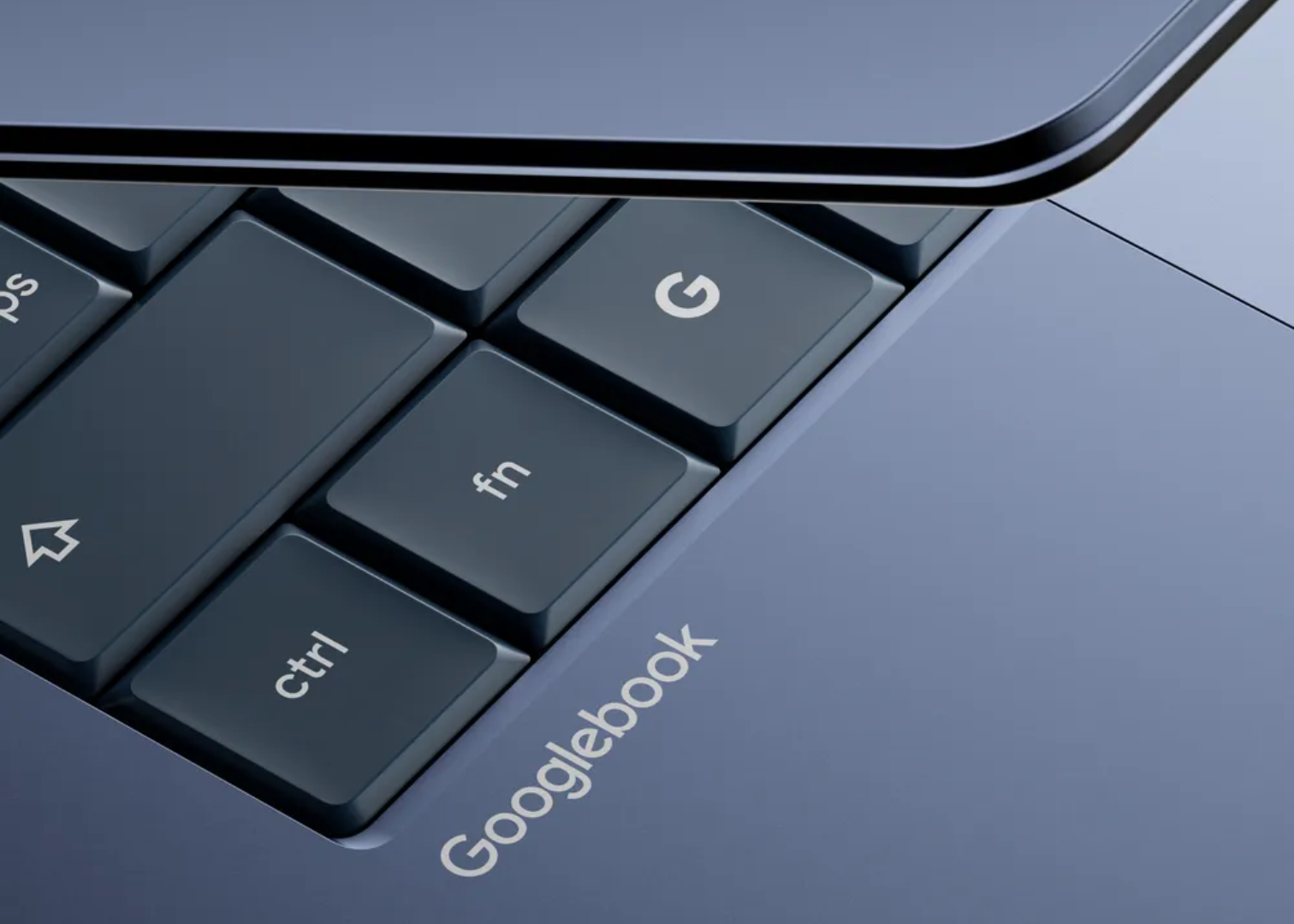
Googlebook will also feature a glowbar, a glowing LED strip that acts as both a design signature and a functional element. For longtime Google hardware fans, it recalls the old Chromebook Pixel design language.
Why Googlebook Matters
Googlebook matters because it shows where Google thinks personal computing is heading.
The company is not simply adding AI to an old laptop model. It is trying to redesign the laptop around AI, Android apps and cross-device workflows.
That puts pressure on Microsoft’s Copilot+ PC strategy and Apple’s MacBook ecosystem. Google has a powerful advantage in Android, Gmail, Calendar, Drive, Chrome and Gemini. Googlebook connects those pieces into one laptop platform.
For users in Africa and other mobile-first markets, this could be especially interesting. Many people already rely heavily on Android phones. A laptop that extends the phone experience could feel more natural than a traditional PC.
What Happens Next
Google has not confirmed pricing, full specifications or whether it will release its own Pixel-branded Googlebook.
The first devices are expected later in 2026. Until then, the biggest questions are clear: how much Googlebooks will cost, how well Android apps will scale on laptops, and whether Gemini features will feel truly useful in daily work.
For now, Googlebook looks like Google’s strongest attempt yet to move beyond the Chromebook era and compete directly in the premium AI laptop market.