
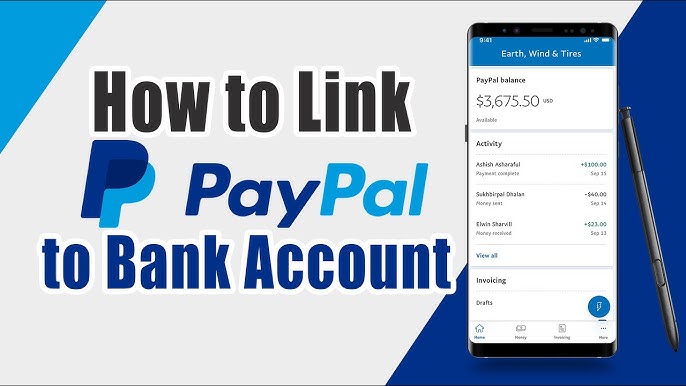
If you’re in Gambia and want to link your PayPal account to your mobile number or bank account, the process is easy and straightforward. Connecting your PayPal account helps eliminate restrictions and allows you to enjoy higher sending limits and lower fees. Here’s a step-by-step guide to help you through the PayPal connection process.
Procedure to Connect PayPal to Mobile Number and Bank Account in Gambia
Connecting PayPal to Your Mobile Number
- Visit the PayPal Gambia Website:
Go to the Gambia’s PayPal homepage and click on the “Log In” option to access the PayPal platform. - Log In to Your PayPal Account:
Enter your email address and password to log in to your PayPal account. - Go to Account Settings:
Once logged in, click on the “Gear Icon” (Settings) at the top-right of the page. - Add Your Mobile Number:
Under the “Accounts” tab, click on the “Add” link in the Phone Numbers section.
Enter your mobile number and select the “Mobile” option under category.
Click “Add Phone Number” to continue. - Verify Your Mobile Number:
PayPal will send a verification SMS to your mobile number.
Enter the verification code from the SMS and click “Submit” to complete the process. - Completion:
Once verified, your mobile number is successfully linked to your PayPal account.
Connecting PayPal to Your Bank Account or Credit/Debit Card
- Log In to Your PayPal Account:
As before, visit the Gambia’s PayPal homepage and log in. - Go to the Wallet Section:
Click on the “Wallet” option at the top of the page. - Link Bank Account or Credit Card:
Click on the “Link a Card or Bank” button.
Choose “Link Credit Card” or “Link Bank Account” based on your preference. - Enter Your Card or Bank Details:
For credit/debit cards, enter the card number, expiration date, and 3-digit CVC code, then click “Link Card”.
For bank accounts, enter your routing number and account number, and click “Link Bank”. - Verify the Charges:
PayPal will make two small charges to your card or bank account. Check your bank or card statement for these charges. - Complete Verification:
Enter the amounts of the charges from your statement along with the verification code on the PayPal platform and click “Submit” to finish the process. - Completion:
Your PayPal account will now be successfully linked to your bank account or credit card.
Required Documents for Connecting PayPal
To connect your PayPal account to your mobile number and bank account, you’ll need the following:
- Mobile Phone Number (for mobile connection).
- Bank Account Details (routing number and account number).
- Credit/Debit Card Details (card number, expiration date, and CVC code).
Office Locations & Contacts
For more information or assistance with PayPal account issues, you can contact PayPal through their official contacts:
- PayPal Corporate Headquarters
2211 North First Street, San Jose,
California 95131, USA
Tel: +1-844-373-4961 - PayPal Gambia Contact
Visit the official PayPal Gambia page on their website.
Eligibility for Connecting PayPal
- You must have a verified PayPal account to connect it to your mobile number or bank account.
- Make sure you have access to the mobile number and bank account you’re linking.
Fees for Connecting PayPal
The process of connecting your PayPal account to either your mobile number or bank account is free of charge.
Validity of the Connection
The connection between your PayPal account and mobile or bank account is valid permanently, provided that you comply with PayPal’s terms and conditions. Non-compliance could result in temporary or permanent account limitations.
Processing Time
The processing time for connecting a PayPal account to a mobile number or bank account is typically 2 days. The verification process may take up to 48 hours, depending on your bank or card provider.
Related Videos
For a better understanding of the process, you can watch instructional videos:
<video type=”youtube”>Y0US7oR_t3M|560|340</video>
Instructions for Connecting PayPal Account
- Log in to your PayPal account.
- Navigate to the “Settings” section.
- Add your mobile number or bank details.
- Complete the verification process by entering the codes sent via SMS or your bank statement.
Required Information for the Application
To connect your PayPal account, you will need the following:
- Full Name
- Mobile Number
- Bank Account Details
- Credit/Debit Card Information
Need for Connecting PayPal to Mobile or Bank Account
Connecting your PayPal account to your mobile number or bank account eliminates restrictions and gives you higher sending limits, lower transaction fees, and a more functional PayPal experience.
Other Uses of the Document/Certificate
Connecting PayPal to your mobile number or bank account allows you to use PayPal for a variety of purposes, including:
- Making international payments.
- Receiving payments for goods and services.
- Linking PayPal to other financial accounts for seamless transactions.
External Links
For more details on PayPal services and setting up your account:








