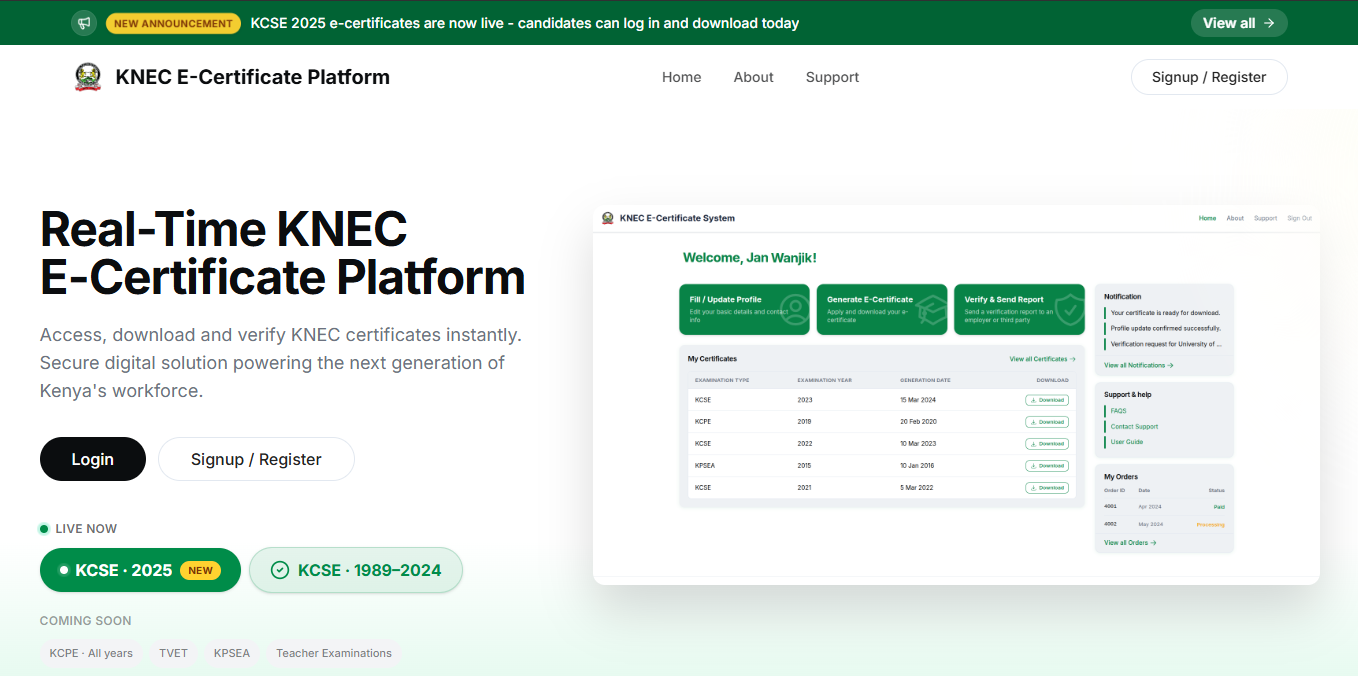
Getting hold of an old school certificate has never been easy for many Kenyans, especially those who sat their exams decades ago and later misplaced the original document. Whether it is needed for a new job application, a university admission process, or a visa interview abroad, a missing academic certificate can bring important plans to a sudden halt. Fortunately, a new digital solution now makes this problem far less stressful for millions of former students across the country.
The Kenya National Examinations Council has rolled out an innovative online platform that allows former candidates to retrieve their academic records without stepping into a single government office. This development speaks directly to the growing shift toward digital public services in Kenya, where citizens increasingly expect government processes to be faster, more transparent and accessible from anywhere with an internet connection. For students who completed their KCPE or KCSE examinations anytime from 1989 to the present day, this innovation removes what used to be a long and often frustrating bureaucratic journey.
At the heart of this update is the KNEC e-certificate system, a secure digital platform built to verify a candidate’s identity, confirm their examination records, and generate a downloadable certificate within minutes. Instead of waiting in queues or relying on third parties to process replacement documents, applicants can now complete the entire process from a smartphone or computer. Below is a detailed, easy-to-follow breakdown of how the system works, from creating an account to finally downloading a verified copy of your certificate.
What Is the KNEC E-Certificate Platform
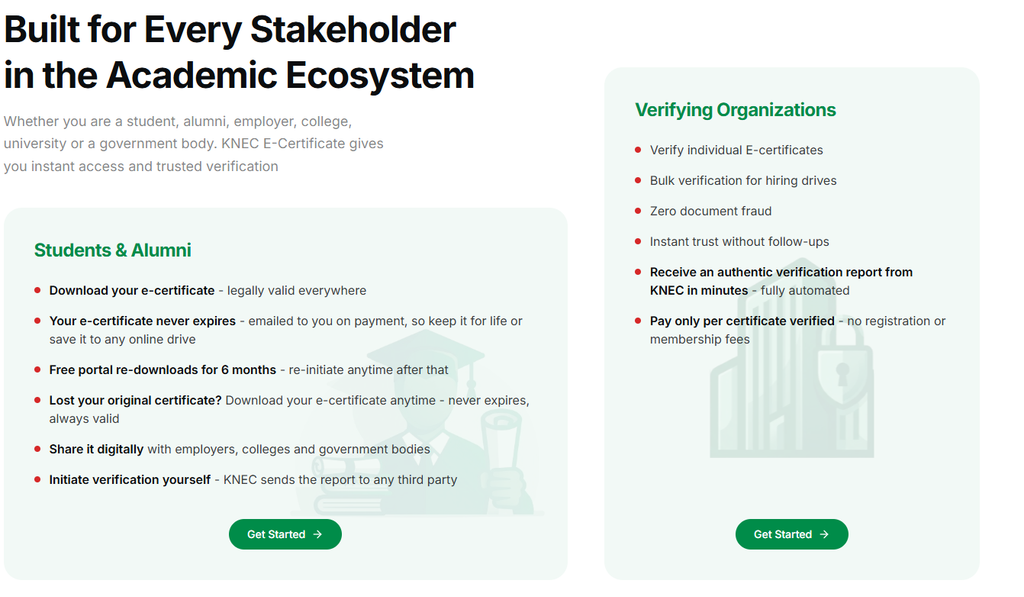
The KNEC e-certificate platform is an online portal designed to give KCPE and KCSE alumni instant access to digital versions of their examination certificates. Rather than depending on physical archives, the system links directly to the examination body’s database and cross-checks applicant details against the Integrated Population Registration System. This ensures that every certificate issued is authentic, traceable and tied to a real, verified identity. Consequently, employers, universities and immigration offices can trust the documents produced through this channel.
How to Register on the Portal
Before generating a certificate, every user must first create an account. To begin, visit the official portal and select the sign-up option. Applicants are then required to choose the “Applicant” category, which applies to students and alumni alike. Next, enter your full legal name together with an active email address, then request a one-time password. This code arrives within moments and must be entered before it expires after ten minutes. Once confirmed, your account becomes active and ready for use.
Logging In Without a Traditional Password
Unlike many platforms that rely on static passwords, this system uses one-time passwords for every single login attempt. As a result, users simply enter their registered email, request a fresh OTP, and input the code to reach their personal dashboard. Although this extra step may initially feel unfamiliar, it significantly strengthens account security and reduces the risk of unauthorized access to sensitive academic records.
Completing Your Personal Profile
After logging in, applicants must fill out a detailed profile before requesting any documents. This includes citizenship status, full name exactly as it appears on a national identification card, date of birth, phone number and, for Kenyan citizens, a national ID number. Uploading a profile photo remains optional but can be useful for additional verification. Once submitted, the platform automatically checks these details against national population records, and this verification process typically takes only a few seconds to complete.
Generating and Verifying Your KNEC E-Certificate
With a verified profile in place, applicants can move to the dashboard and select the option to generate a certificate. At this stage, you will need to provide your examination index number, specify whether the certificate is for KCPE or KCSE, and select the relevant examination year. Because your personal information was already captured during profile setup, most fields will populate automatically, saving time and reducing errors.
Two separate checks then take place before payment becomes available. First, the system reconfirms your identity through national records. Second, it searches the KNEC database to confirm that a matching certificate genuinely exists for the details provided. Both verifications must pass successfully; otherwise, the process cannot continue.
Paying for Your Certificate
Once verification succeeds, applicants are redirected to the eCitizen platform to finalize payment. The certificate generation fee costs 1,200 Kenyan shillings, while value-added tax and standard eCitizen service charges bring the total payable amount to 1,450 Kenyan shillings. Multiple payment options are supported, including M-Pesa through STK push prompts, as well as Visa and MasterCard transactions. Most payments are confirmed within ten to thirty seconds, allowing the process to move forward almost immediately.
Downloading Your Certificate Securely
After payment confirmation, users simply click the download option to receive their certificate as a PDF file, which opens directly in a new browser tab. From there, the document can be saved locally or printed for physical use. Notably, every certificate issued through this system carries a unique blockchain verification hash, giving employers and institutions a reliable way to confirm its authenticity without contacting KNEC directly.
It is also worth noting that downloaded certificates remain accessible under the “My Certificates” section for a period of six months from their generation date. Once this window closes, users who require another copy must repeat the generation process and pay the applicable fee once again, so it is advisable to store a personal backup soon after downloading.
Getting Help From KNEC
For applicants who encounter challenges during registration, verification or payment, KNEC provides direct support channels. Assistance is available by phone at +254 720 741 001 or by email at [email protected]. The examinations council’s offices are located at New Mitihani House in South C, Nairobi, for anyone who prefers an in-person inquiry.
Ultimately, this digital shift toward the KNEC e-certificate system reflects a broader move to make essential documents easier to retrieve, verify and share securely, sparing former candidates the delays that once defined the traditional certificate replacement process.