What Is KCB M‑PESA?
KCB M‑PESA is a mobile banking service designed for Safaricom subscribers, combining savings and short-term loans via M‑PESA. You can instantly borrow from KSh 1,000 up to KSh 1 million, based on your usage patterns and savings history.
ADVERTISEMENT
How to Activate KCB M‑PESA on Your Phone
Before borrowing or saving, you must activate the service:
- Dial the M‑PESA menu
- Select Loans and Savings
- Choose KCB M‑PESA
- Tap Activate
- Follow any prompts to complete setup
Once activated, you can start accessing both credit and savings features seamlessly.
KCB M‑PESA Loan Features
- Loan Amount: KSh 1,000 to KSh 1 million, depending on your limit
- Repayment Term: 30 days (single installment)
- Interest Rate: Approximately 8.85% to 8.90% per month, added upfront
- Fee Structure: No additional processing or insurance fees; rollover fee applies at same interest rate if loan isn’t cleared on time
- Loan Limit Growth: Increase savings activity, regularly use M‑PESA services, and repay promptly to raise your borrowing limit over time
Who Can Borrow?
To qualify for a KCB M‑PESA loan:
ADVERTISEMENT
- You must have an active M‑PESA account for at least six months
- Stay active in M‑PESA usage, voice/data services improves eligibility
- Good CRB standing is required; delinquent borrowers may be denied access
How to Request a KCB M‑PESA Loan
- Open your M‑PESA menu
- Navigate to Loans & Savings → KCB M‑PESA → Loan → Request Loan
- Enter the loan amount (within your limit)
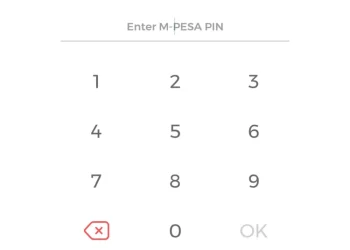
- Input your M‑PESA PIN and confirm
- Funds will be disbursed to your KCB M‑PESA account
- To use the money, select Withdraw to M‑PESA—this transfer is free
How to Repay Your Loan
- You should repay within 30 days to avoid penalties and preserve your CRB status
- If not repaid, your loan will roll over for another month with an additional interest charge
Repayment Steps:
- Go to M‑PESA Menu → Loans & Savings → KCB M‑PESA → Loan → Pay Loan
- Choose to pay using either M‑PESA wallet or KCB M‑PESA savings
- Enter the repayment amount and your PIN
- Confirm transaction—You’ll receive a confirmation SMS upon successful repayment
You can also repay via Paybill 522559 using your national ID as the account number.
Additional Tips and Considerations
- Early repayment: Allowed and does not attract extra fees. Your loan limit may also increase once 25% of the principal is cleared
- Top-up loans: You may take multiple loans within your limit as long as previous ones are settled on time
- CRB-listed users: You can still save with KCB M‑PESA, though loan access may be restricted
- Loan calculator: Tools available to help estimate the total repayment amount and interest cost
Why KCB M‑PESA Stands Out
- Quick, digital loan access directly on your phone—no bank visit required
- Competitive and transparent fees with no hidden charges
- Ideal for short-term needs like school fees, bills, or small emergencies
- Incentivizes savings and financial discipline through gradual increases in credit access
Support and Contact Information
If you need help with KCB M‑PESA, you can reach out through:
- Phone: +254 (732) 187 000 or +254 (711) 087 000
- Email: [email protected]
- Follow the official @KCBGroup handles on Facebook, Instagram, X, and LinkedIn